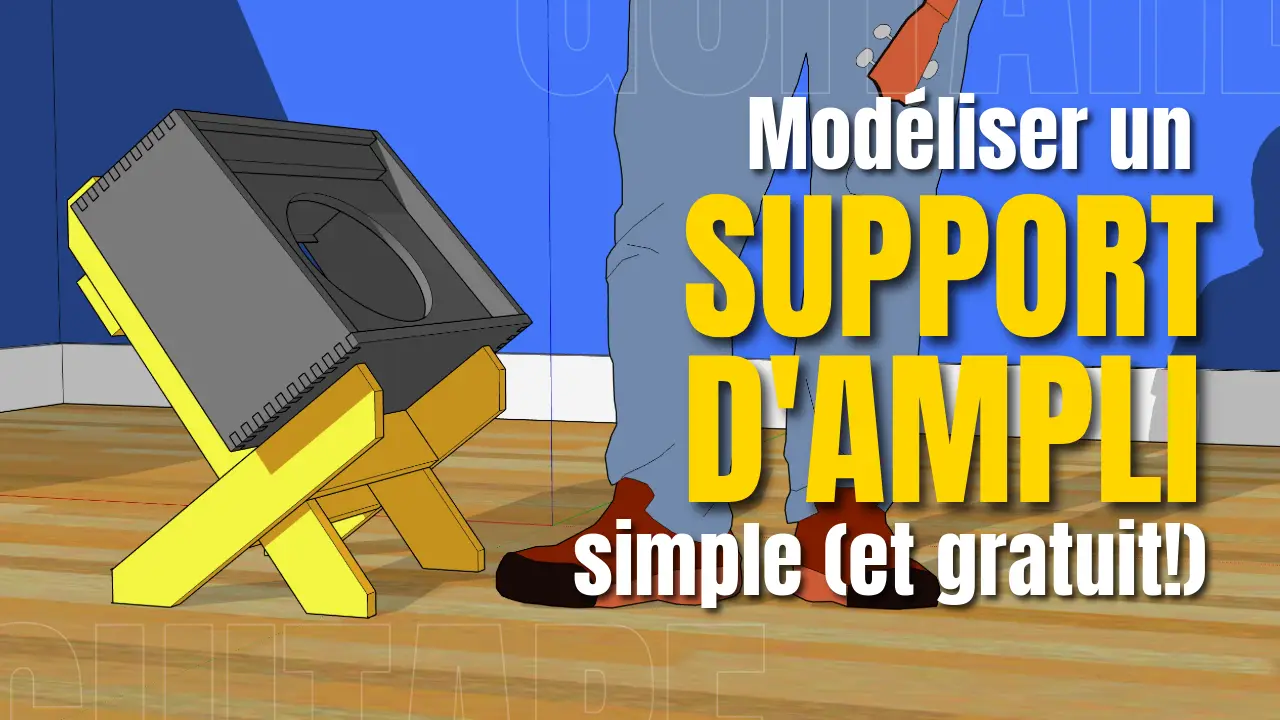
Do you want to make your own angled stand for your guitar amp? Before you get out the saw and screws, I'll show you how to use them. Sketchup, a free 3D modeling tool, to plan your project from A to Z. Ideal for avoiding cutting errors and testing your ideas before wasting wood.
🖥️ What is Sketchup, and why use it in DIY lutherie?
Sketchup is a free 3D modeling software available online, perfect for visualizing DIY projects, even if you are not a professional designer.
In this video, I explain how to create a complete model of a wooden amp stand:
- Raise the amp off the ground
- Tilt it towards you for better projection
- Working with the real dimensions of your gear
🖱️ Getting Started with Sketchup Free
Create an account and get started
Go to the free version of Sketchup. No need to install anything, everything works in your browser. Once your account is created, click on “Start modeling”.
Choosing the right units
When you start a new project:
- Choose between inches, feet, mm or cm
- I work in inches because I'm an old-timer from Canada!
🐭 Navigate in 3D space
You're going to be moving around a lot in Sketchup, so a three-button mouse is almost essential.
- Zoom : roll the wheel
- Rotate the view : click the wheel and move the mouse
- Lateral movement : Shift + clicked wheel
Take a moment to get used to it. It's the key to working comfortably.
📦 Import a realistic model of your amp
Use an existing template
Rather than modeling your amp by hand, go into the 3D Warehouse integrated into Sketchup. You can search for a similar amp model and resize it.
Scaling
Even if the imported model is small, it can easily be enlarged:
- Use theruler tool to create guides
- Then thescaling tool to adapt the precise dimensions: width, height, depth
- Example: my amp is 18″ x 15.5″ x 9.5″ → I adjust the model to these dimensions
🪚 Model the support boards
Create a type board
Use therectangle tool, then extrude with “Push/Pull (P)”:
- Width : 3.5″
- Thickness : 0.75″
- Length : ~48″ for testing
Transform each board into component (not just one group), so all copies will be linked. You change one, it changes all the others ✨
📐 Positioning and duplication of parts
Position parts precisely
With the move tool (M):
- Used Ctrl to copy
- Cross out the axes with the directional arrows
- Snap on the edges to be ultra precise
Create a cross structure
The goal: two side boards + a horizontal crosspiece. You can:
- Copy the first board
- Add a “T” shaped crosspiece to support the amp
📏 Precise tilting and cutting
Tilt the whole thing
Once your stand is assembled, group the pieces together and rotate them to test different tilt angles. You can then adjust the foot lengths so that everything rests perfectly on the ground.
Cut the legs to the perfect angle
- Position the inclined assembly
- Use thepencil tool to trace the floor/board junction
- Use “Push/Pull” for remove the excess part
Result: feet cut at the exact angle ✂️
🪵 Add reinforcements
To prevent the bracket from twisting:
- Add crosspieces between the two vertical uprights
- One at the bottom (anti-opening)
- One diagonally if necessary
🎨 Finishes and textures
You can even have fun:
- Apply a wood texture on the faces
- Add one floor virtual to test the rendering
- Activate the shadows to judge the position and visual effect
📋 List of parts to cut
Use component copies to make yourself a visual list of pieces to cut. Example :
- 2x side boards 3.5″ x 0.75″ x [calculated length]
- 2x sleepers
- 1x rear support piece
- etc.
You can even bevel the corners for a more refined look (optional, but cool 😎)
📥 Download and resources
I'll post the resulting Sketchup file here. That way, you can use it as inspiration or modify it for your own project.
🎸 In summary Thanks to Sketchup Free, you can :
- Model your ideas before cutting anything
- Working with the real dimensions of your gear
- Save time (and avoid wasting wood)
- Create a clear plan to build an effective and stylish stand
💬 And you?
Were you already familiar with Sketchup? What else do you use it for? Do you plan your projects before tackling them in real life?
👉 Leave me a comment or come chat with me on YouTube.
👍 Like if you learned something, subscribe if you haven't already.
🛠️ And above all… build things!